monday.com · 2024
Rebuilding monday.com's In-App Help Centre
Overview
I was brought on for six weeks as a borrowed designer to set a one-year design vision for a new in-product help centre. The design strategy and execution was set to carry the CX team until they hired a permanent designer of their own.
Role
Senior Product Designer
Timeframe
6 weeks
Team
Product Manager
Engineer
Data Analyst
Responsibilities
Research and discovery
Workshop facilitation
Strategic product definition
End-to-end design
Impact
Year-long vision
Signed off by stakeholders, across ten redesigned experience areas
61%
Reduction in users undelighted with the help centre from 56% to 22%
38%
Of “how-to” support tickets deflected
+32%
Uplift in engagement for first time users of the help centre
Challenge
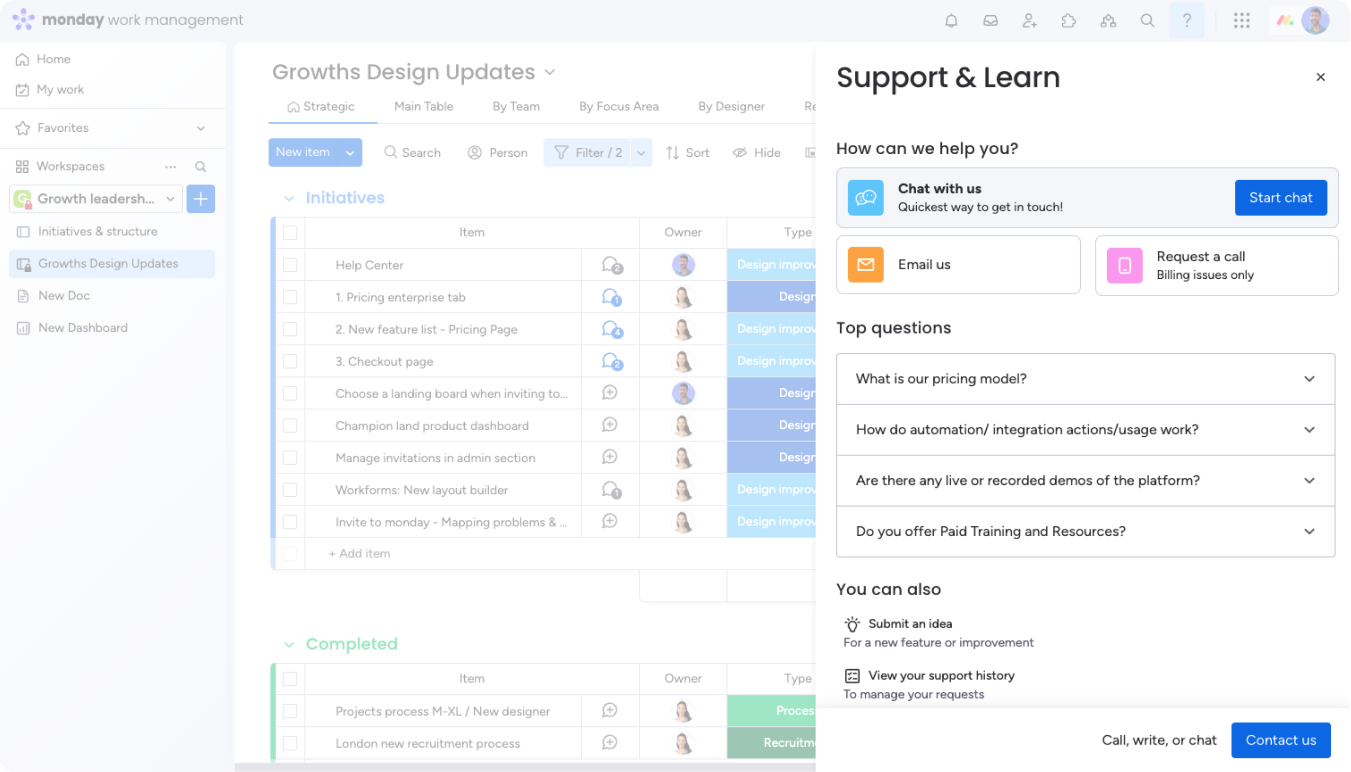
A decade-old help centre was drowning our customer service team in thousands of avoidable tickets and losing our users' patience.
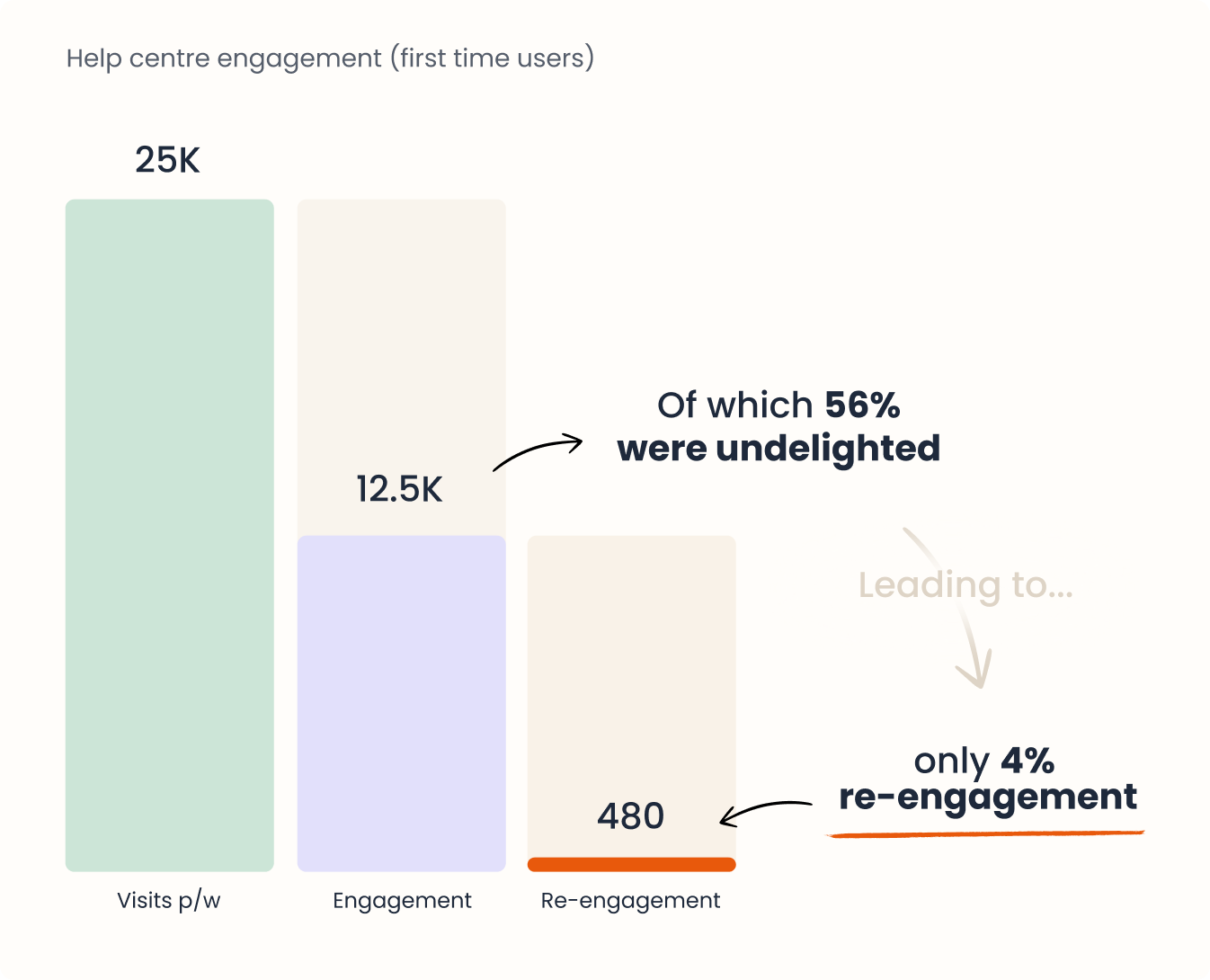
Every week about 25,000 accounts opened the in-app help centre, but only half engaged with it meaningfully. Those who did often got stuck: confusing navigation and thin content made simple answers hard to find, and many ended up contacting support just to get unstuck.
Contacting support wasn’t a reliable fallback either. Legacy tech that hadn’t kept pace with the platform meant these attempts often failed outright, leaving users at a dead end.
Approach
6 weeks designing a 12-month vision as a borrowed designer
I had six weeks to create a roadmap that set the CX team up with an initial MVP as a baseline, plus ongoing features and tests to last the year.
Foundational research: barely anyone was coming back
Data showed a flat ~50% engagement rate and a 4% re-engagement rate for new users. An in-app survey found ~56% of users undelighted with the experience, with open text showing a clear need for how-to guidance and a broken path to contact support.
Contact support data reinforced that most enquiries were “How to” questions, indicating a real need for a “How to” solutions focused experience.
Quotes from our in-app survey (1138 answers)
I was trying to find out how to limit access to specific boards but couldn’t find any solutions through the search.
Went through the “Contact us” process multiple times but could never manage to find a way to speak with someone.
Setting our standards
Twenty products (Airbnb, Slack, Miro, Intercom, Salesforce and others) were evaluated in our competitor landscape, the results of which founded a set of eight standards that each were scored against. That same framework then structured our vision itself. Our existing help centre scored miserably against every standard.
1. Hierarchy
Hierarchy of most impactful information over self help topics
2. Elevation
Help is available no matter where the user is in the platform
3. Time to solution
The time it takes for a user to find a solution to their problem
4. Personalisation
Content is dynamic based on user profile and experience
5. Growth
Content empowers users to try more advanced features
6. Multi-tasking
Help content can be followed next to what they are currently working on
7. Proactivity
Help is proactive and timely when the user needs it most
8. Navigability
Users rarely get lost in the help centre and know intuitively where to find what they need
Structuring our IA before designing anything
Before any screen took shape, the content itself needed real structure.
Our key content pillars, how it should be prioritised and what a first-time user needed to see versus a three-year admin.
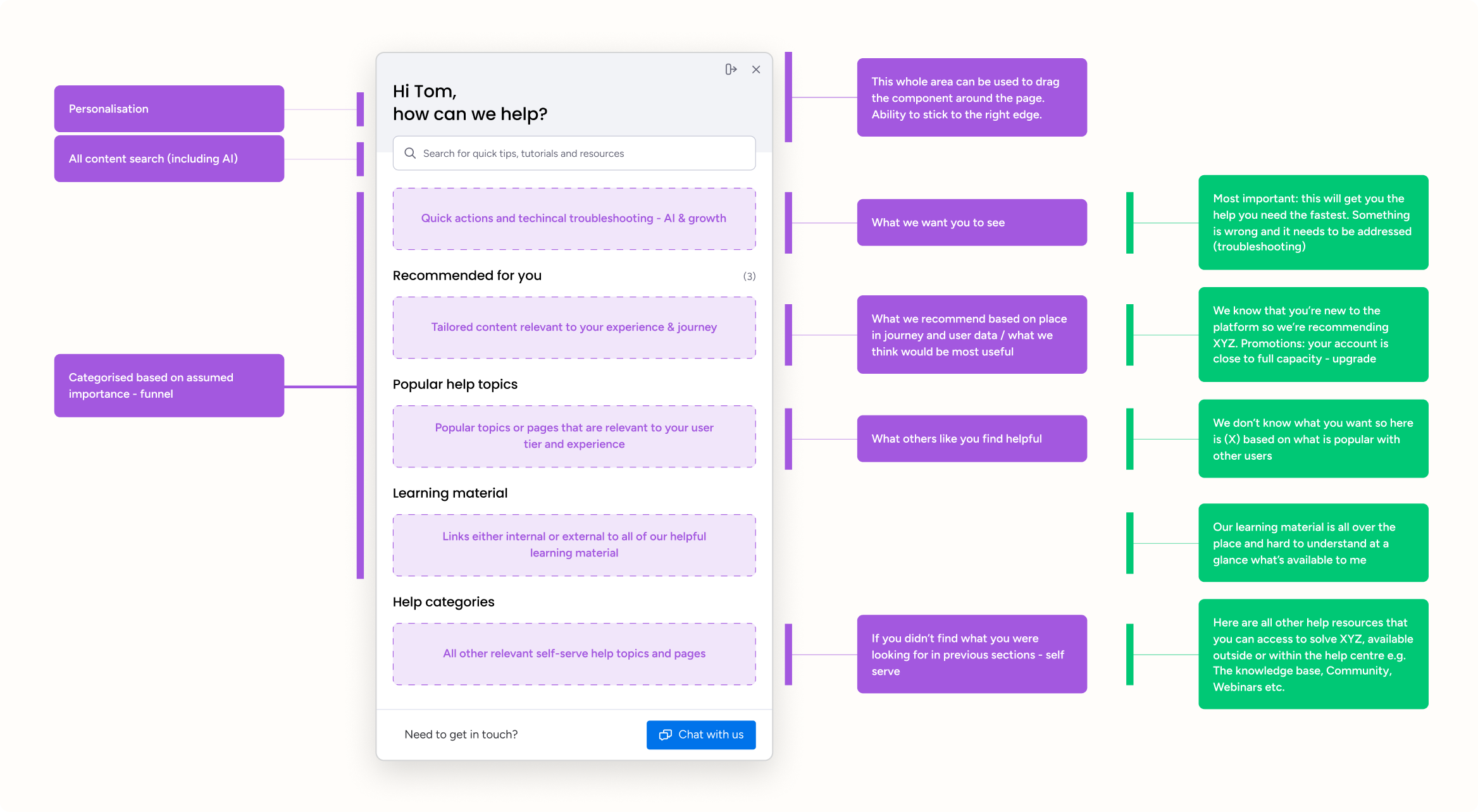
Problem areas turned into a 12-month vision
Workshops, research and our information architecture fuelled a full-year vision, structured under the same eight standards.
It won stakeholder buy-in before any engineering time was committed. From there, we cherry-picked our MVP on impact versus effort scoring and locked in the roadmap for the next 12 months.
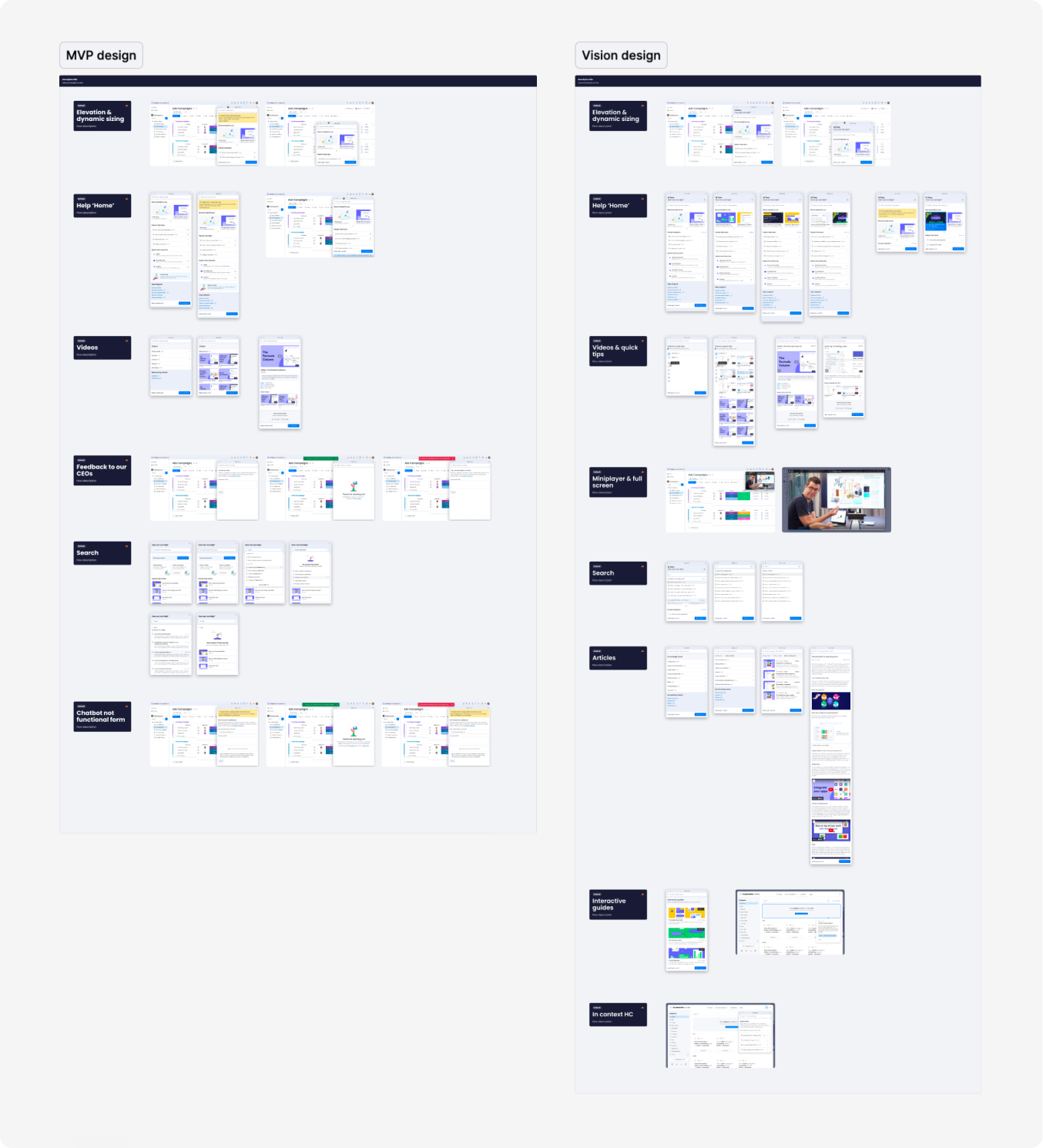
Design + Impact
What shipped as MVP, and the full year vision behind it
Our initial MVP acted as a baseline to solve our most impactful problems. The vision acted as individual tests to compare against our new baseline.
- MVP -
Personalised, contextual and proactive content
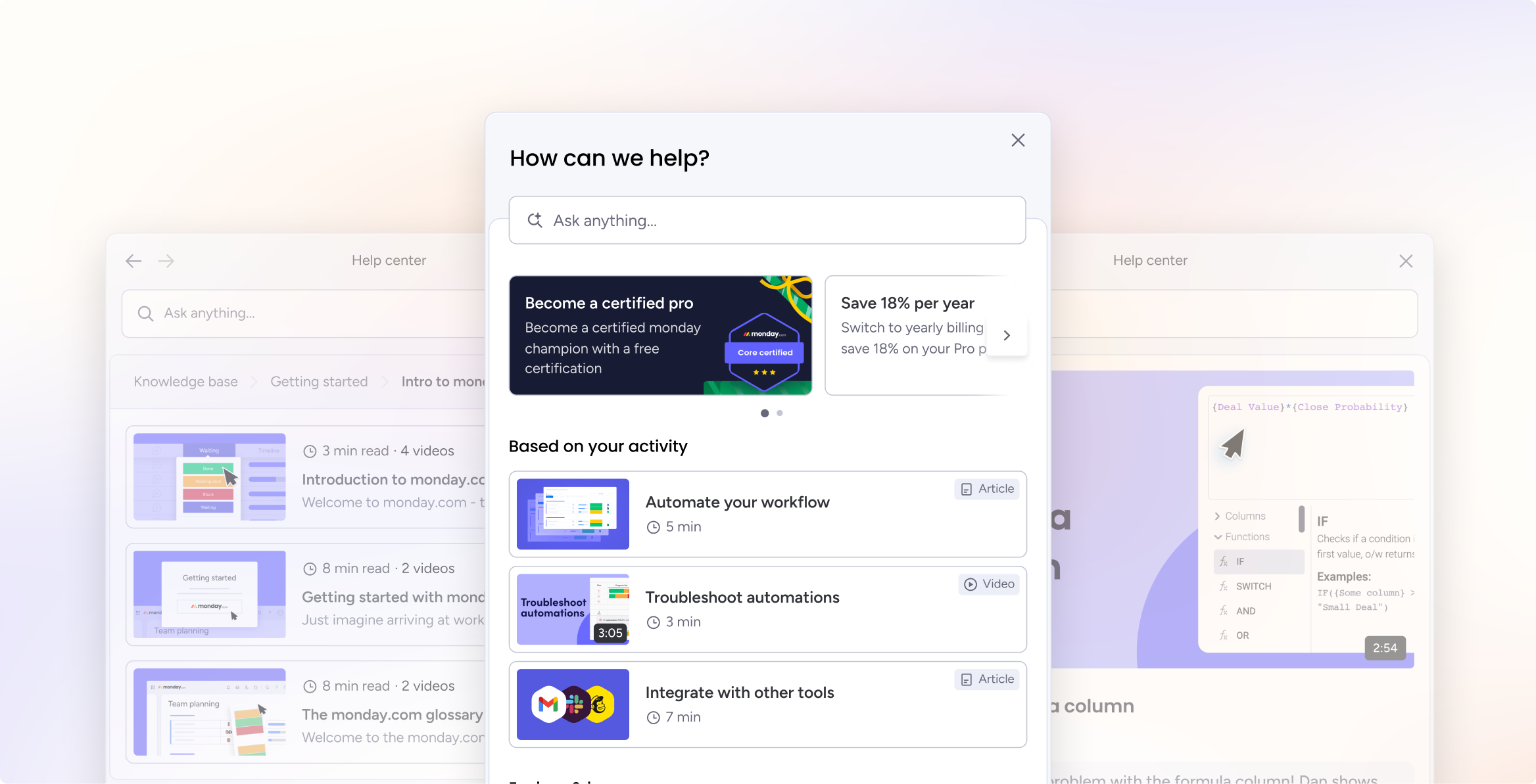
Tailored, proactive recommendations, based on recent activity, user profile and app location - reducing time to solution.
Global search + AI summaries
An “Ask anything” search, with rotating helper text that shows users they can simply type how to do something. Results lead with an AI summary attempting a direct answer, with article and video content as a back up.
Dynamic modal dragging and resizing
The ability to choose the sizing and location of the help centre to adapt to their location and avoid blocking important work.
Embedded videos + quick tips
Alongside videos, we introduced Quick Tips: short GIFs for fast answers that didn’t need a full length video.
- Vision -
Dynamic mini-player
We added a dynamic miniplayer so that following a video doesn't mean losing your place.
In-app articles
Our knowledge base hosted in-app, with breadcrumbs and progress tracking.
Contextual help
Help surfaced directly inside specific product areas, like the automation centre.
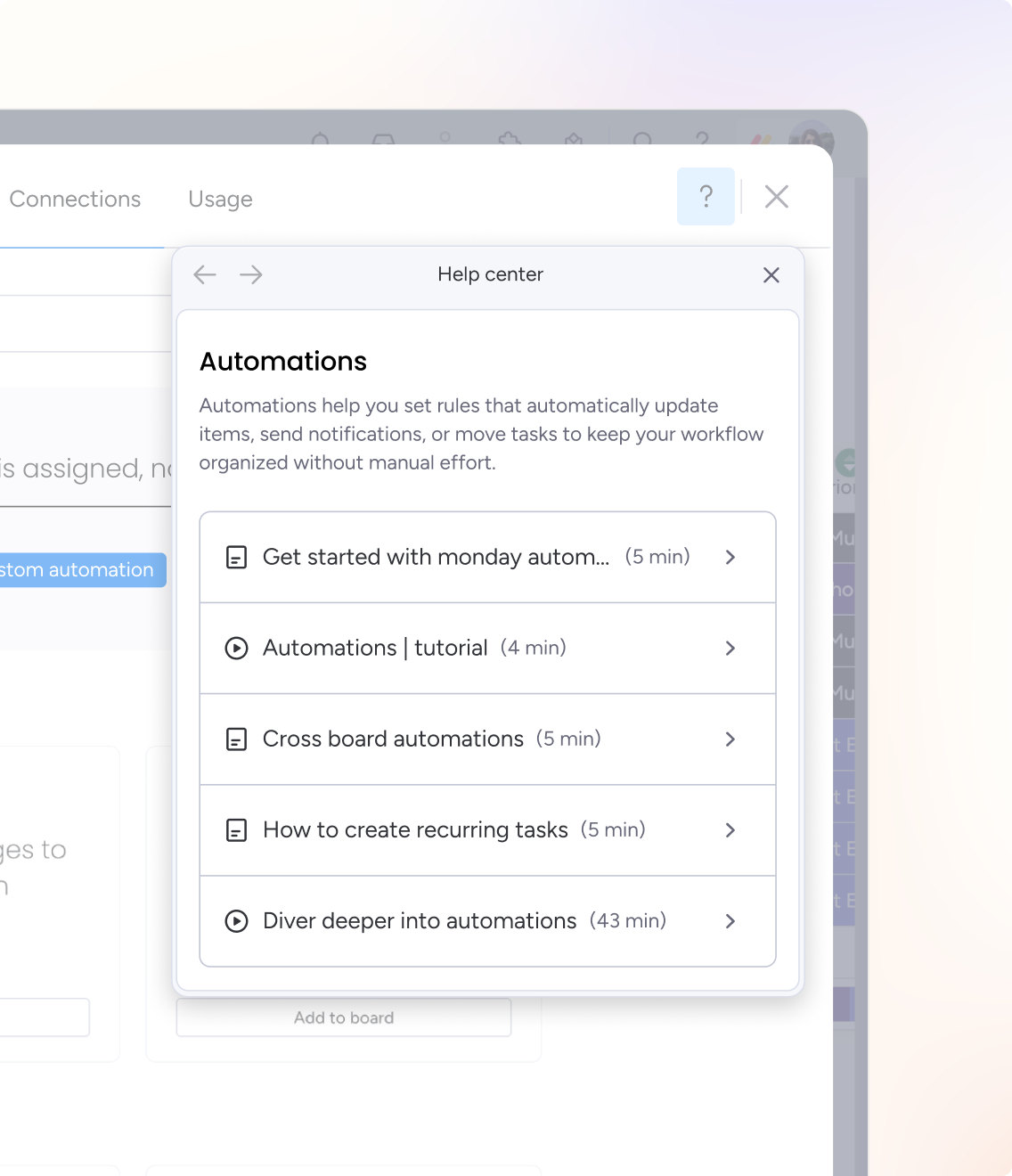
Impact
Year-long vision
Signed off by stakeholders, across ten redesigned experience areas
61%
Reduction in users undelighted with the help centre from 56% to 22%
38%
Of “how-to” support tickets deflected
+32%
Uplift in engagement for first time users of the help centre
Reflection
We missed the chance to combine forces on AI
Shortly after the MVP shipped, AI was picking up momentum across monday.com, and another team was already building an in-product AI assistant we didn't know about.
Closer communication with the teams investing in AI would have changed how we positioned the help centre, and let us combine forces towards the same goal instead of solving it twice.